Cloud, Virtualization, SDN, and HCI Topology in ObserveOps
ObserveOps automatically builds topology maps for your cloud, virtualization, software-defined networking, and hyper-converged infrastructure as soon as polling data is available. No scan scheduler is needed. The moment ObserveOps starts collecting data from a supported platform, the relationships between components appear in the appropriate topology tab — accounts, regions, hosts, virtual machines, clusters, and SDN fabrics — all mapped and kept current automatically.
Prerequisites
- Each device or account must be discovered and configured as a monitor in ObserveOps.
- Polling must be active and returning data for monitors to appear in their topology tab.
- No additional scan configuration is required for Cloud, Virtualization, SDN, or HCI tabs.
Cloud Topology
The Cloud tab shows the topology of your cloud provider accounts and the resources inside them. ObserveOps groups resources by account and region, giving you a visual map of how cloud workloads are distributed across your environment.
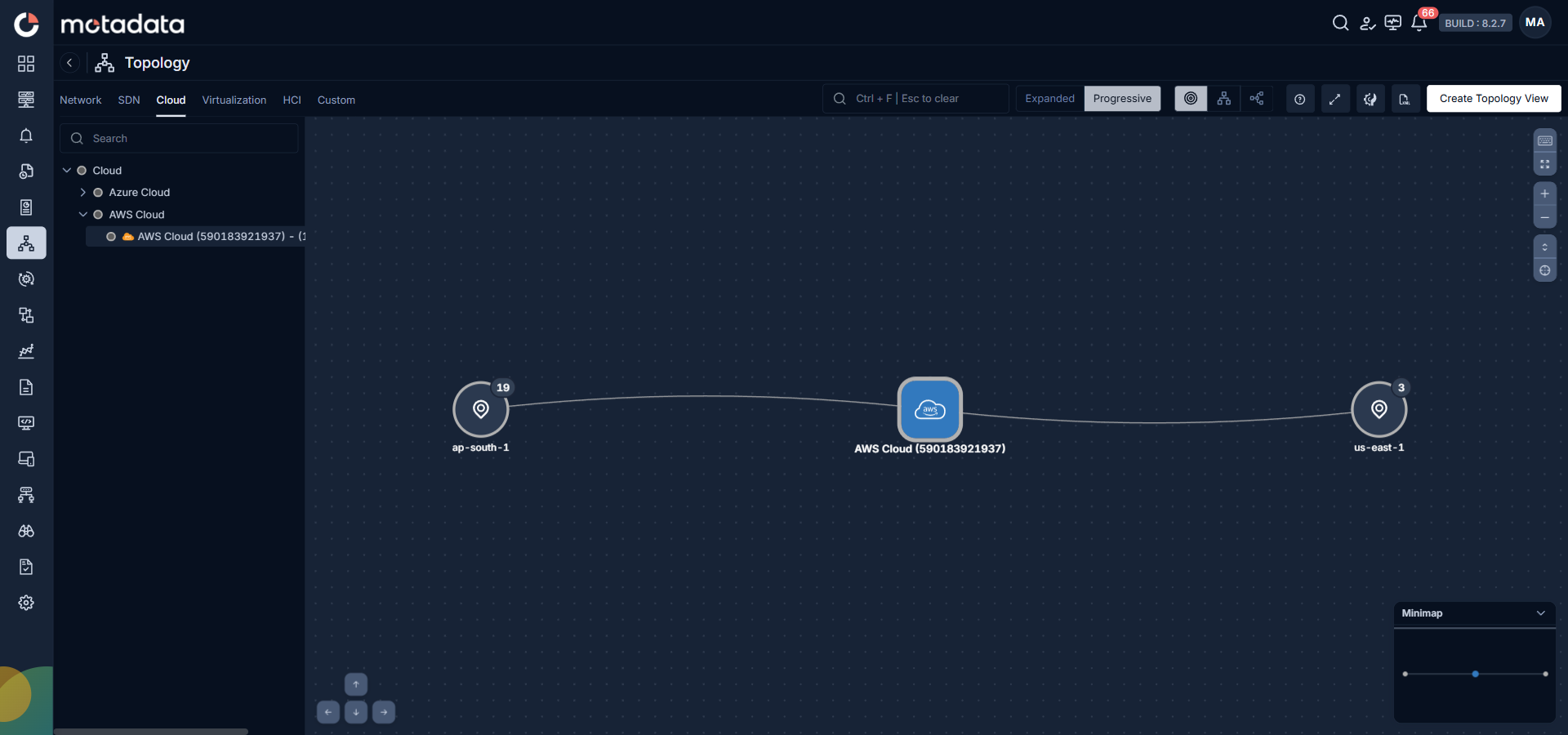
Supported cloud providers:
| Provider | What ObserveOps Maps |
|---|---|
| Amazon Web Services (AWS) | AWS account connected to each monitored region, with resource counts per region |
| Microsoft Azure | Azure subscription connected to resource groups and services |
| Microsoft Office 365 (O365) | O365 tenant connected to monitored services and users |
The sidebar tree for the Cloud tab organizes entries under each provider category. Expand a provider to see the individual accounts or subscriptions. Click an account to load its topology map showing all connected regions and resource groups.
Virtualization Topology
The Virtualization tab shows the topology of your hypervisor environments. ObserveOps maps the relationship between hypervisor hosts and the virtual machines running on them, organized by hypervisor platform.
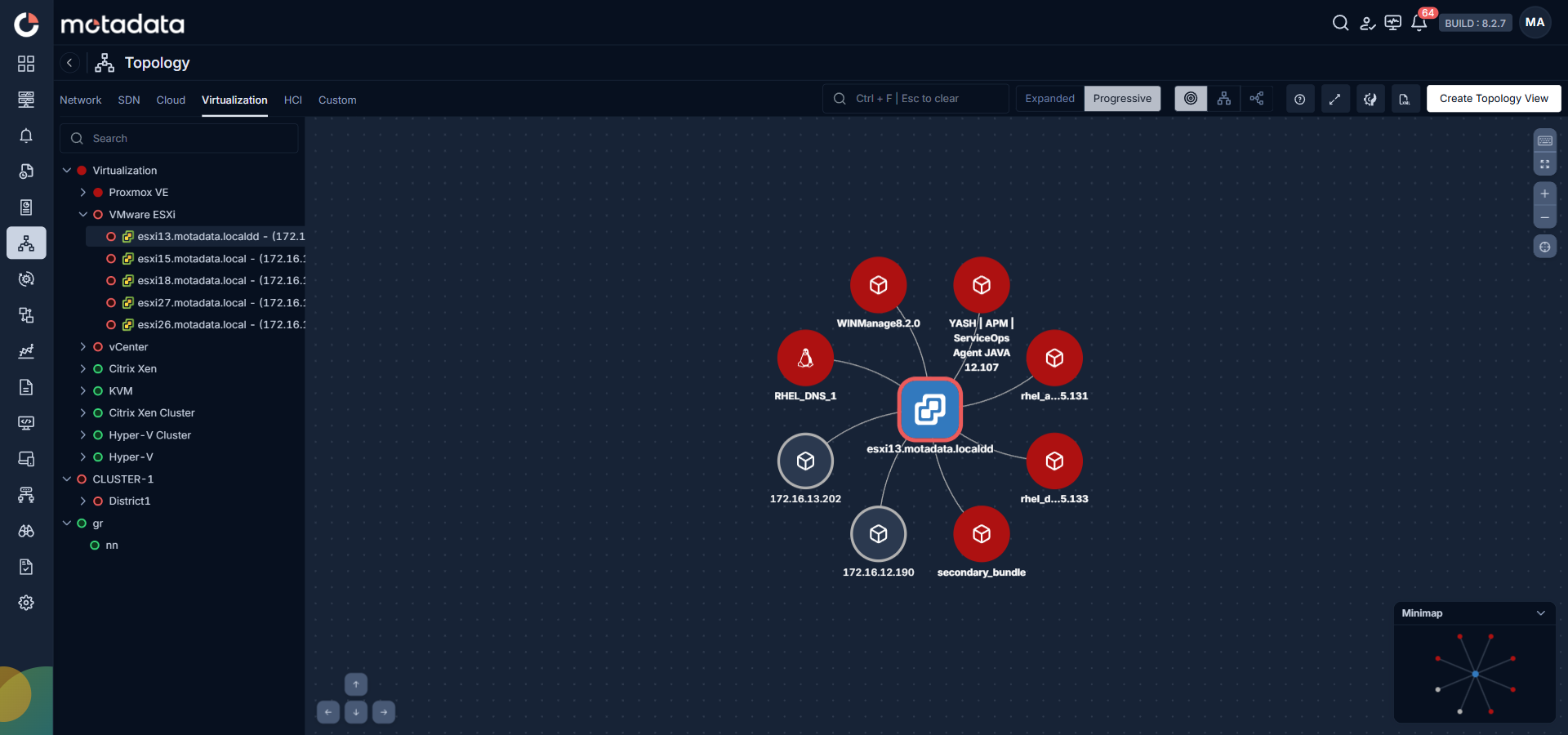
Supported virtualization platforms:
| Platform | What ObserveOps Maps |
|---|---|
| VMware ESXi | ESXi host connected to its virtual machines and datastores |
| VMware vCenter | vCenter server connected to managed ESXi hosts and VMs |
| Proxmox VE | Proxmox host connected to its VMs and containers |
| KVM | KVM hypervisor connected to its virtual machines |
| Citrix Xen | Xen host connected to its virtual machines |
| Citrix Xen Cluster | Xen cluster connected to member hosts and VMs |
| Hyper-V | Hyper-V host connected to its virtual machines |
| Hyper-V Cluster | Hyper-V cluster connected to member hosts and VMs |
Click any hypervisor entry in the sidebar to load its map. The selected host appears as the central node. All VMs and related components connected to it appear as child nodes.
SDN Topology
The SDN tab shows the topology of your software-defined network environments. ObserveOps maps the components of your SDN fabric — controllers, edge devices, and managed connections — into a visual representation of how traffic flows through the software-defined layer.
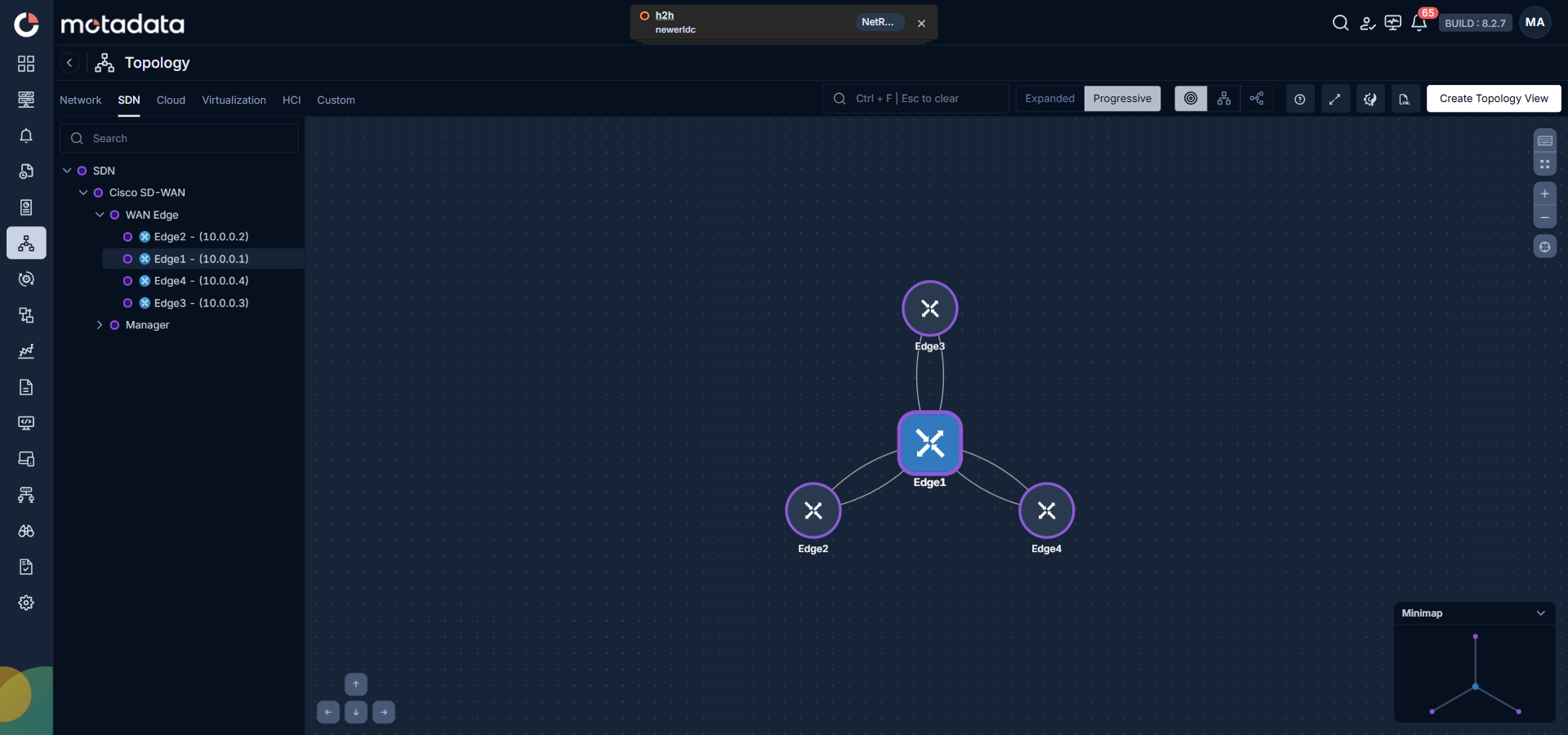
Supported SDN platforms:
| Platform | What ObserveOps Maps |
|---|---|
| Cisco Catalyst SD-WAN | WAN Edge devices and Manager nodes organized into the SD-WAN overlay fabric |
| Cisco ACI | ACI fabric components including spines, leaves, and EPGs |
The sidebar tree for the SDN tab organizes entries under each SDN platform. Expand Cisco SD-WAN to see WAN Edge and Manager categories. Click any individual edge device to load its topology map showing all connected edge devices in the fabric.
Connection types in SDN topology:
- Solid lines represent controlled connections — direct managed paths between devices.
- Dashed lines represent tunnel connections — paths established through overlay tunnels for specific traffic flows.
This distinction helps you differentiate managed control paths from dynamic data tunnels at a glance.
HCI Topology
The HCI tab shows the topology of your hyper-converged infrastructure clusters. ObserveOps maps the relationship between the HCI cluster controller, the physical nodes, and the virtual machines running inside the cluster.
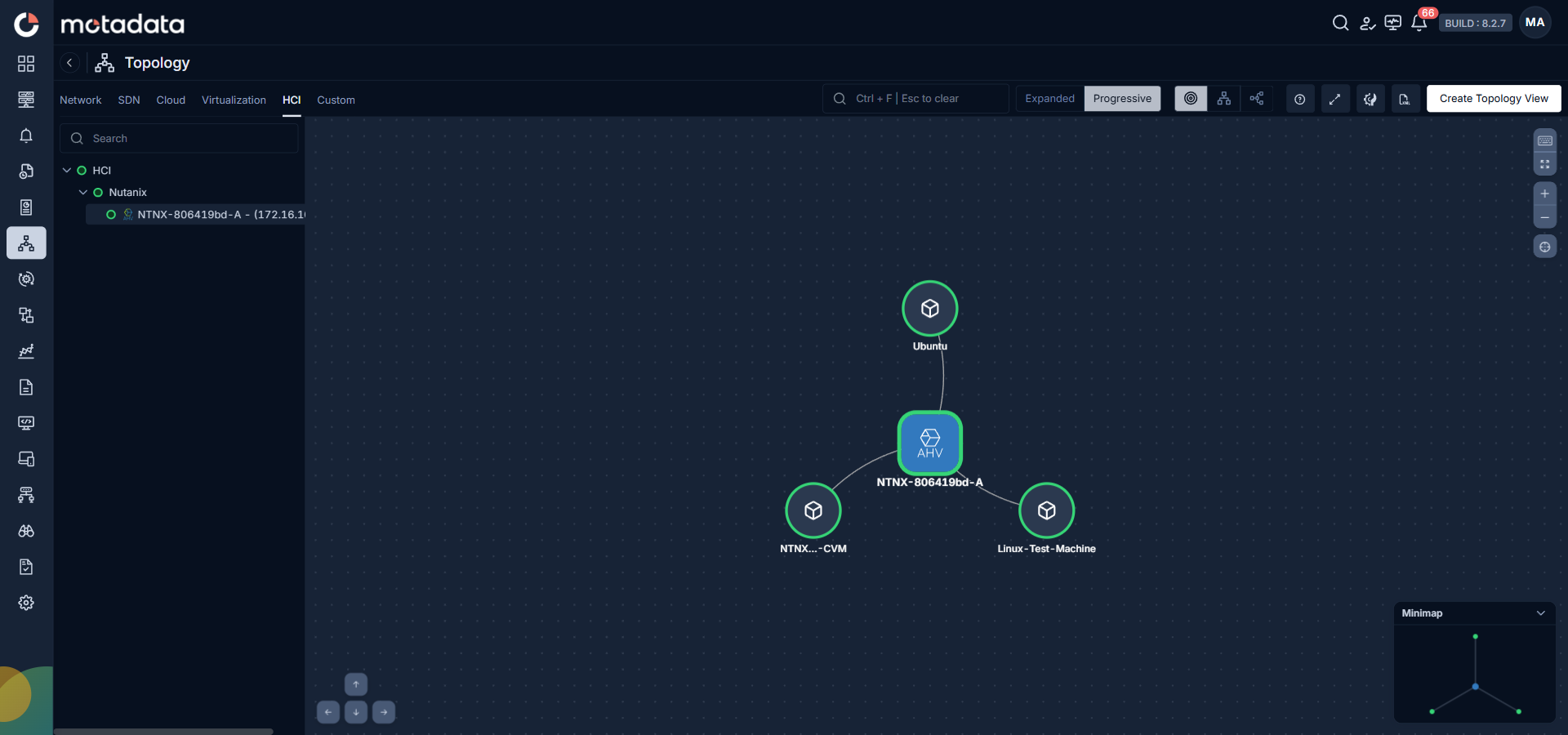
Supported HCI platforms:
| Platform | What ObserveOps Maps |
|---|---|
| Nutanix | Nutanix cluster (AHV) connected to its Controller VMs (CVMs) and guest virtual machines |
Click the Nutanix cluster entry in the sidebar to load the HCI topology map. The cluster appears as the central node. All CVMs and VMs provisioned on that cluster appear as connected nodes.
Troubleshooting
A topology tab is empty even though monitors exist
Cause: Polling may not have returned data yet, or the monitor type may not match any platform ObserveOps supports for topology visualization.
Fix: Open the monitor detail page and confirm polling is active and returning data. Check that the monitor type matches a supported platform listed in the tables above. Wait for the next polling cycle to complete and then refresh the Topology page.
Devices appear in the sidebar tree but the topology map does not load
Cause: ObserveOps can list discovered entries from polling metadata without having full topology relationship data yet. This happens when a monitor was just added and has not completed enough polling cycles to build the relationship map.
Fix: Wait for at least two full polling cycles to complete. The time depends on your configured polling interval. Refresh the Topology page after the cycles complete and try loading the topology map again.
The map shows devices with unknown (gray) status after a platform upgrade
Cause: A firmware or platform upgrade may have changed device identifiers that ObserveOps uses to match polling data to topology nodes.
Fix: Re-discover the affected monitors. Go to the relevant monitoring module, update the monitor credentials or discovery profile if needed, and trigger a manual poll. The topology relationships rebuild automatically once new polling data is available.