Telegram Integration with Motadata ObserveOps
Overview
Motadata ObserveOps (formerly knows as ObserveOps) supports Telegram integration to send alerts and notifications directly to users or groups on Telegram. This integration helps operations and monitoring teams receive critical observability updates such as alerts, policy violations, and system events in real time through Telegram.
Telegram integration in Motadata ObserveOps is based on Telegram Bots and requires a bot token along with a chat or group ID to deliver messages successfully.
Prerequisites
Before configuring Telegram integration, ensure the following requirements are met:
- A valid Telegram account.
- Access to the Telegram mobile or desktop application.
- Permission to create Telegram bots.
- Admin access to Motadata ObserveOps.
High-Level Configuration Flow
The Telegram integration setup involves the following stages:
- Create a Telegram bot and obtain the bot token
- Identify the Chat ID or Group ID for message delivery
- Configure Telegram integration in Motadata ObserveOps
Step 1: Create a Telegram Bot and Get Bot Token
A Telegram bot is required to send messages from Motadata ObserveOps.
- Open the Telegram application.
- Search for @BotFather.
- Click Start.
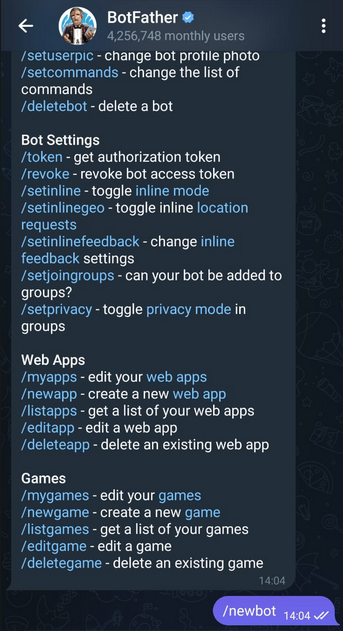
- Enter the command /newbot and send it.
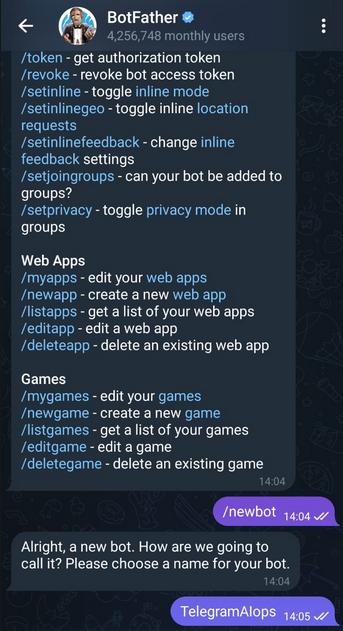
- Provide a name for the bot when prompted.
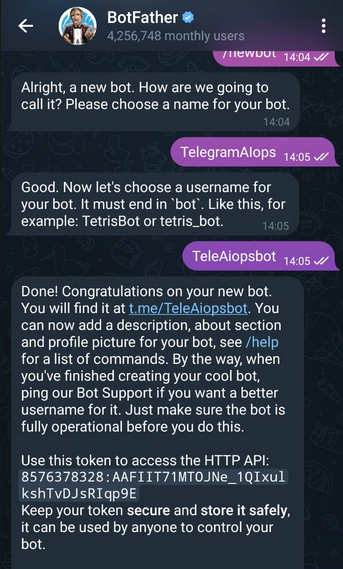
- Provide a username for the bot. The username must end with
bot.
Once completed, BotFather will generate and display the Bot Token.
Step 2: Get Chat ID (For Personal Messages)
If you want to receive alerts in a personal Telegram chat, you need the Chat ID.
- Open Telegram.
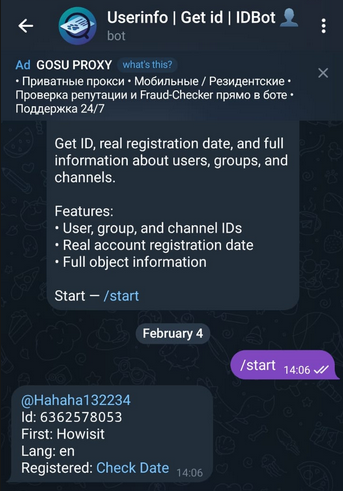
- Search for @userinfobot.
- Click Start.
- The bot will display your Chat ID automatically.
Copy and save this Chat ID for later use.
Step 3: Get Group ID (For Group Messages)
If you want to receive alerts in a Telegram group, you need the Group ID.
- Open Telegram.
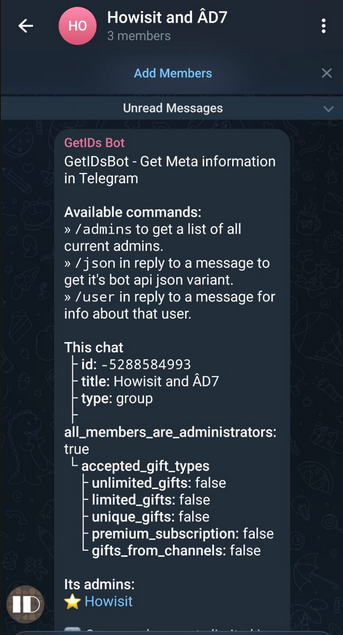
- Search for @getidsbot.
- Click Start.
- Open the Telegram group where alerts should be received.
- Add @getidsbot as a member to the group.
- Once added, the bot will display the Group ID.
Step 4: Configure Telegram Integration in Motadata ObserveOps
Log in to Motadata ObserveOps.
Navigate to Settings → Integration → Telegram.
Enter the following details:
- Bot Token
- Chat ID (for personal messages) or Group ID (for group messages)
Save the configuration.
Post-Configuration Usage
After completing the configuration:
- Telegram can be selected as a notification channel in Motadata ObserveOps
- Alerts and policy actions can be routed to Telegram
- Messages will be delivered to the configured chat or group in real time
Notes
- Ensure the bot remains active and is not blocked or removed
- For group notifications, the bot must be added to the group
- Incorrect Chat ID or Group ID will result in message delivery failures