My Assets
The My Assets page displays a comprehensive list of assets used by the logged-in user. On this page, users can view asset details but cannot manage them. For example, if a user named John is logged in and uses a Windows Laptop, all assets associated with him will appear in this list along with their details.
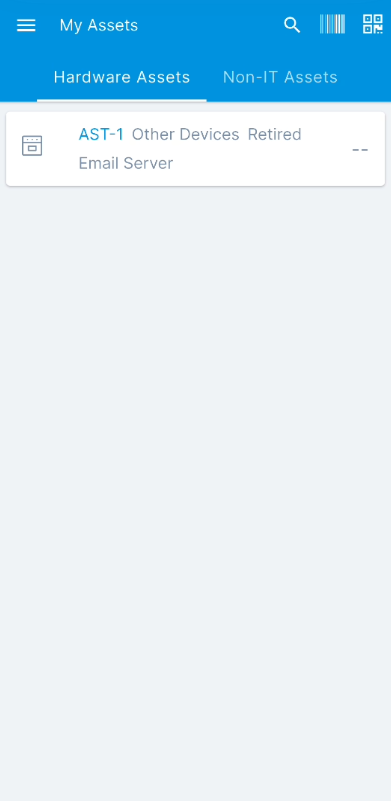
This page offers the following features:
- Search: You can search for assets using the keyword search bar or refine your results using the Advanced Filter icon. The Advanced Filter allows you to search by specific criteria, providing more granular control over your results.
- Scan QR and Barcode: Users can scan barcodes or QR codes. This functionality is only visible if enabled from the Technician Portal.
- Asset Categories: Assets are categorized into "Hardware Assets" and "Non-IT Assets" for easy navigation and viewing.
note
This tab is available only if the relevant permission is granted from the Technician Portal.