Key Features of ServiceOps
Gain a comprehensive, AI-powered, and ITIL-aligned platform to streamline IT service delivery, automate workflows, and manage the entire IT estate from a single, unified solution.
Motadata ServiceOps is an all-in-one ITSM platform designed to optimize your organization's service delivery and business processes. By leveraging artificial intelligence and a modern, user-friendly interface, ServiceOps automates complex support workflows, enhances productivity, and provides a superior experience for end-users and technicians alike.
The platform consolidates numerous IT functions into a single tool, eliminating the need for multiple disparate solutions and providing a unified view of your IT operations.
Service Desk Management
ServiceOps provides a robust, ITIL-certified framework for managing the entire service lifecycle, from incident resolution to user request fulfillment.
Modern Service Desk
Provide an exceptional support experience with a modern, intelligent service desk solution.
- Multi-Channel Support: Handle requests from email, web portal, phone, and integrated chat platforms like Microsoft Teams, Slack, Line, etc.
- Smart Ticket Routing: Automatically assign tickets to the right technicians based on skills, workload, and availability using AI-powered routing.
- Escalation Management: Ensure critical issues are addressed promptly with configurable escalation rules and notifications.
- Task Management: Create, manage, and track tasks, either independently or associated with requests, problems, changes, releases, or projects. Technicians can view assigned tasks and assign tasks to peers, with support for custom views and audit trails.
ITIL-Certified Processes
ServiceOps provides a robust framework for managing the entire service lifecycle, adhering to ITIL best practices.
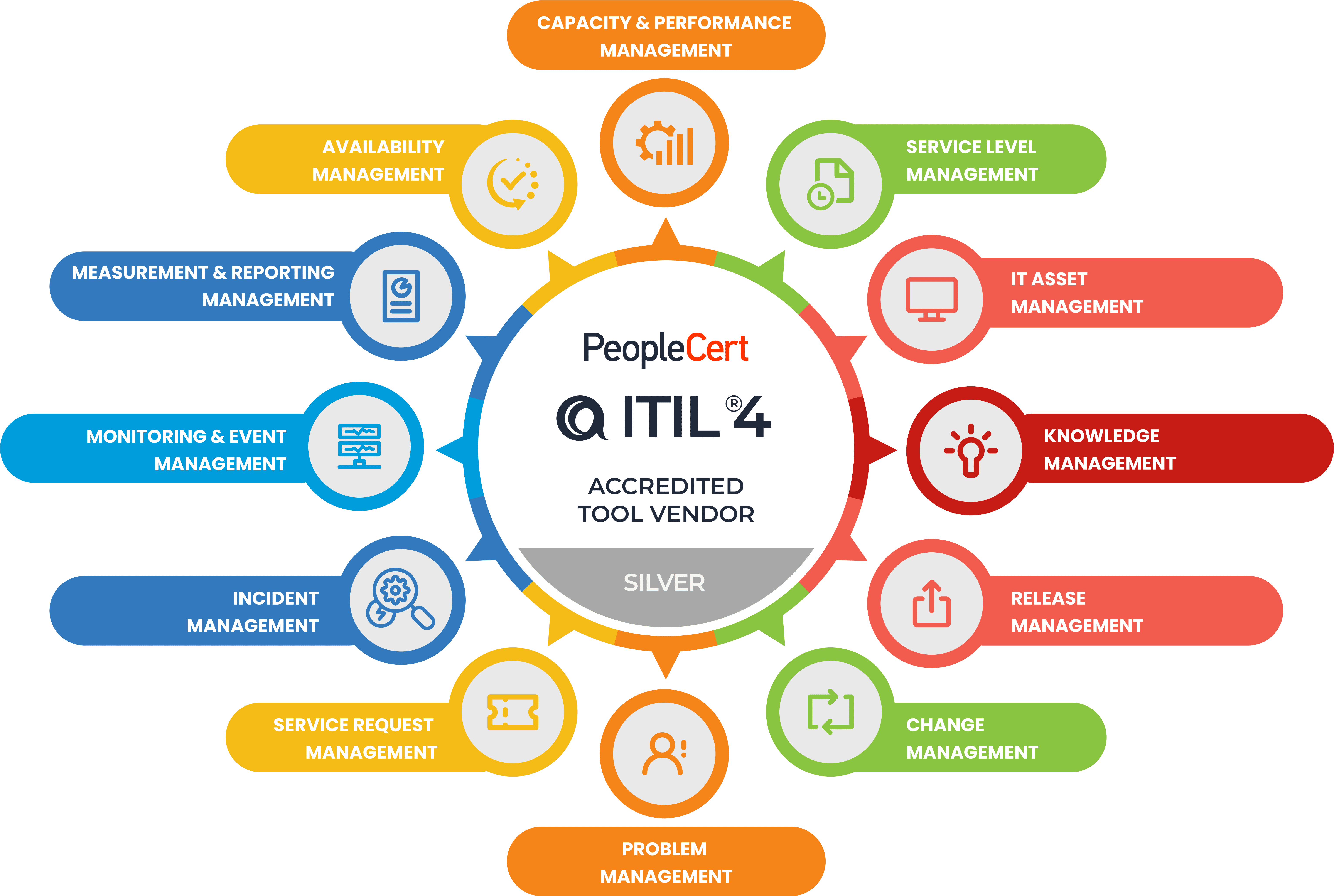
- Incident Management: Quickly restore service operations and minimize business impact.
- Service Request Management: Fulfill user requests through a structured and efficient process, supporting multiple creation methods (portal, email, chatbot, virtual agent, APIs), classification, prioritization, and comprehensive management actions like merging, archiving, and approval.
- Problem Management: Identify and eliminate the root causes of incidents.
- Change Management: Control and manage IT changes to minimize risk and disruption.
- Release Management: Plan, schedule, and control the build, test, and deployment of releases, offering capabilities to create, view, update, and manage releases through workflows, assignments, archiving, approvals, and related tasks.
- Service Level Management: Define, track, and manage service level agreements (SLAs) to meet business expectations.
- Knowledge Management: Create and maintain a centralized repository of articles, guides, and FAQs that are accessible to all users without login to encourage self-service and faster issue resolution, managed by Subject Matter Experts (SMEs).
- Asset Management: Gain complete visibility and control over IT and non-IT assets throughout their lifecycle with automated discovery and centralized tracking, including hardware, software, non-IT, and consumable asset management, along with software license management, software metering, and the ability to prohibit software.
- Measurement and Reporting: Gain insights into service desk performance with powerful, customizable reports, including tabular, matrix, summary, plugin, and query types, with options for custom filters, scheduling, and automatic email generation to stakeholders.
- Capacity & Performance Management: Ensure that IT resources are sufficient to meet current and future business demands.
- Availability Management: Optimize IT infrastructure capabilities, processes, and tools to ensure high availability of services.
- Monitoring & Event Management: Proactively monitor IT infrastructure and respond to events before they impact services.
IT Asset Management (ITAM)
Gain full control over your IT and non-IT assets from procurement to disposal.
- Centralized Asset Inventory: Track and manage a wide range of hardware, software, and non-IT assets.
- Configuration Management Database (CMDB): Centrally store and manage data related to all configuration items (CIs) and map their relationships and dependencies, enabling comprehensive asset inventory, change impact analysis, and support for incident/problem management.
- Asset Lifecycle Management: Manage assets throughout their entire lifecycle.
- Contract Management: Track and manage vendor contracts and streamline procurement workflows, including contract creation, execution, management, renewal, automated status changes, notifications, and expiry reminders.
- Purchase Management: Streamline procurement workflows, from generating purchase orders and managing approvals to tracking vendor interactions, receiving items, and reconciling assets with the CMDB.
Patch and Package Management
Remotely manage and secure your network of computers with powerful automation tools.
- Patch Management: Automate the entire process of scanning, distributing, and deploying software patches to mitigate vulnerabilities.
- Package Management: Easily deploy software packages and scripts to multiple endpoints from a central console.
- Registry Deployment: Manage and deploy changes to the Windows Registry on target computers to configure system and application settings.
Intelligent Automation & Self-Service
Reduce manual effort and empower users with smart, automated capabilities.
- AI-Powered Engine: Leverage AI/ML for ticket routing, smart suggestions, and trend analysis to optimize service delivery.
- Workflow Automation: Automate approvals, notifications, and other repetitive tasks with a powerful workflow engine, managing approvals for requests, problems, changes, releases, assets, and knowledge with clear statuses for pending, approved, rejected, or ignored states.
- Self-Service Portal: Empower end-users to find solutions, log requests, and track status through an intuitive portal, drastically reducing incoming ticket volume.
- Chatbot & Virtual Agents: Provide instant support and create requests via virtual agents on platforms like Microsoft Teams, Slack, WhatsApp, and more.
Enterprise-Ready Platform
ServiceOps is built to scale and integrate seamlessly into your enterprise environment.
- Customization & Branding: Customize the user interface, notifications, and reports to match your corporate branding.
- SSO Integration: Supports SAML-based Single Sign-On (SSO) integration with providers like Okta, Azure AD, ADFS, OneLogin, and more.
- Multiple Support Portals: Manage multiple entities or customers from a single instance with Managed Services Provider (MSP) features.
- Team Management: Delegate approval authority and manage leave for team members, providing flexibility and ensuring continuous operations within defined roles.
- Anytime, Anywhere Access: Access the platform through any standard Internet browser to manage your IT operations remotely.