Motadata Release Notes Version 8.2.5
Release Date: May 29, 2026
What's New?
Approval Workflow for NCCM Configuration Changes Introduced
With this release, high-impact actions in NCCM, such as restoring a configuration, syncing devices, running a runbook, or upgrading firmware, now go through an approval step before they are executed. A user who initiates one of these actions will trigger an approval request instead of running the action immediately, and someone with the NCCM Approver role must review and approve it first.
APM Support for Go Applications in Kubernetes Added
With this release, APM monitoring now supports Go (Golang) applications running inside Kubernetes clusters. If your team builds microservices in Go and deploys them on Kubernetes, you can now instrument and monitor them through Motadata ObserveOps without any special workarounds.
Java APM Auto-Discovery and One-Click Instrumentation Added
With this release, the APM agent can automatically scan your servers and virtual machines to find Java applications that are ready to be instrumented, and you can turn on monitoring for them with a single click right from the UI.
NOC View for Centralized Dashboard Monitoring Introduced
With this release, Motadata ObserveOps introduces NOC View, a dedicated display mode built for large screens in a Network Operations Center. You can group multiple dashboards together, set them to rotate automatically at an interval you choose, and control whether a view is visible to everyone or just to specific users. This gives your NOC team a live, always-refreshing overview of everything happening across your infrastructure without anyone having to manually switch screens.
End-of-Life Details for Network Devices Now Visible in NCCM
With this release, NCCM now displays three key lifecycle dates for your network devices: End of Sale, End of Support, and End of Life. Think of it like a product expiration label, where you can see at a glance which devices are approaching or past their support window, so you can plan upgrades before you are stuck running hardware that the vendor no longer supports or patches.
VMware vCenter 8 Appliance Support Added
With this release, Motadata ObserveOps now supports VSCA 8 as a monitored appliance, the same way it already supports VSCA 7. If you are running or planning to upgrade to VSCA 8, you can monitor it right away without any extra setup steps.
Ruijie Access Point Monitoring Support Added
With this release, Motadata ObserveOps adds monitoring support for Ruijie wireless access points. You can discover Ruijie wireless controllers through the Discovery Profile and monitor them using SNMP.
AWS ECR Monitoring Support Added
With this release, Motadata ObserveOps can now discover and monitor Amazon Elastic Container Registry (AWS ECR), the AWS service where Docker container images are stored and managed. You can bring your private ECR repositories into ObserveOps through the existing AWS Cloud discovery profile and track key metrics for your container image storage, adding visibility into one more important piece of your AWS infrastructure.
Metric Insight Now Available on All Single-Metric Widgets
With this release, the Metric Insight feature, which shows statistical summaries like average, 95th percentile, and spike information for a metric, is now available on any widget that displays a time-series metric, no matter where that widget appears in the product.
Built-in Network Troubleshooting Toolkit Added
With this release, Motadata ObserveOps now includes a set of network troubleshooting utilities built right into the platform, such as Ping, Traceroute, SNMP Walk, SNMP Ping, MAC Address Lookup, and remote CLI and PowerShell commands.
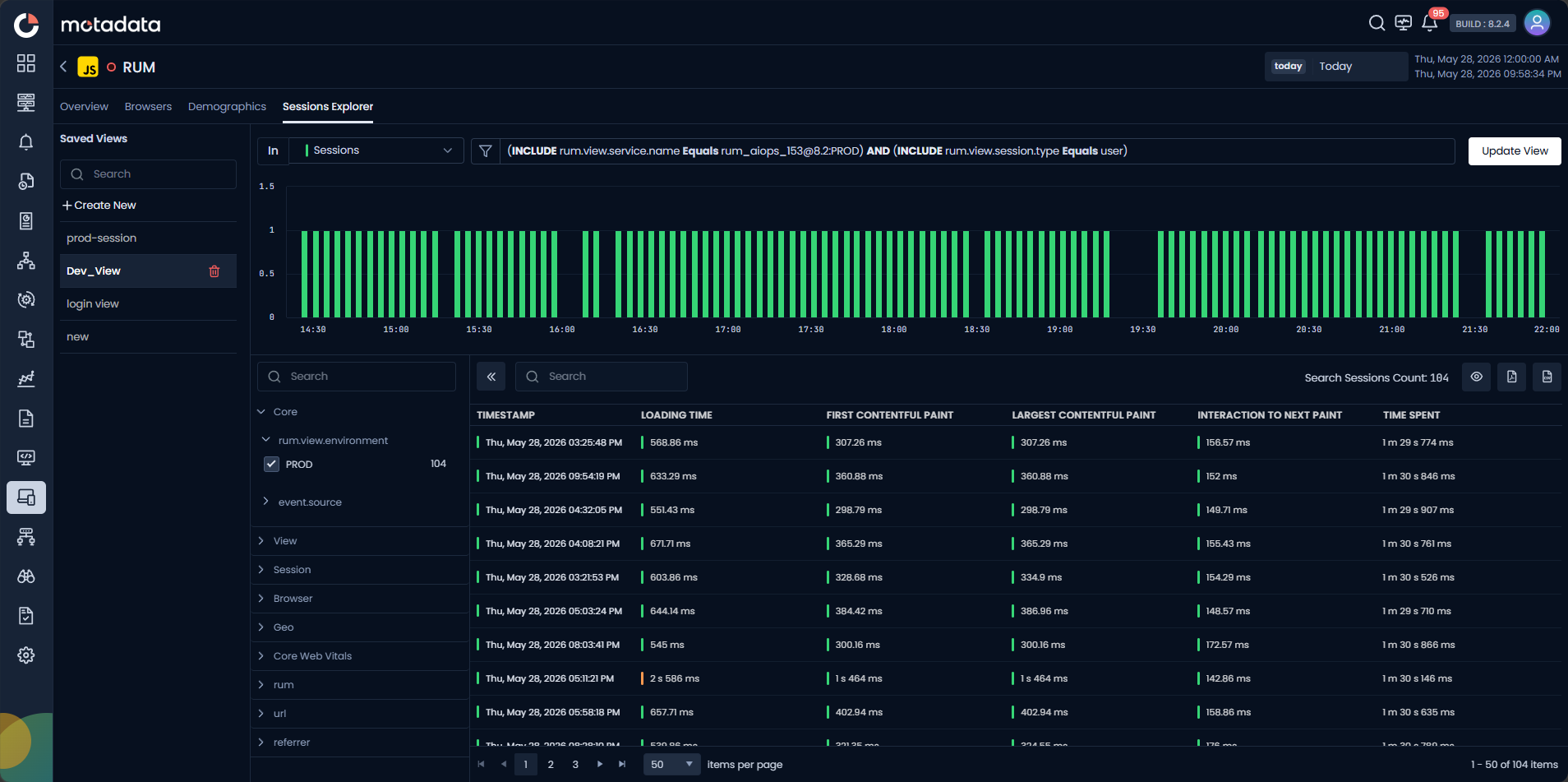
Saved Views Introduced in RUM Session Explorer
With this release, you can save your favorite filter combinations, search queries, time ranges, and layout settings in the RUM Session Explorer. Think of it like bookmarking a specific way of looking at your real-user data. The next time you open the Explorer, you just pick your saved view and you are back to exactly where you left off, without having to set everything up from scratch again.
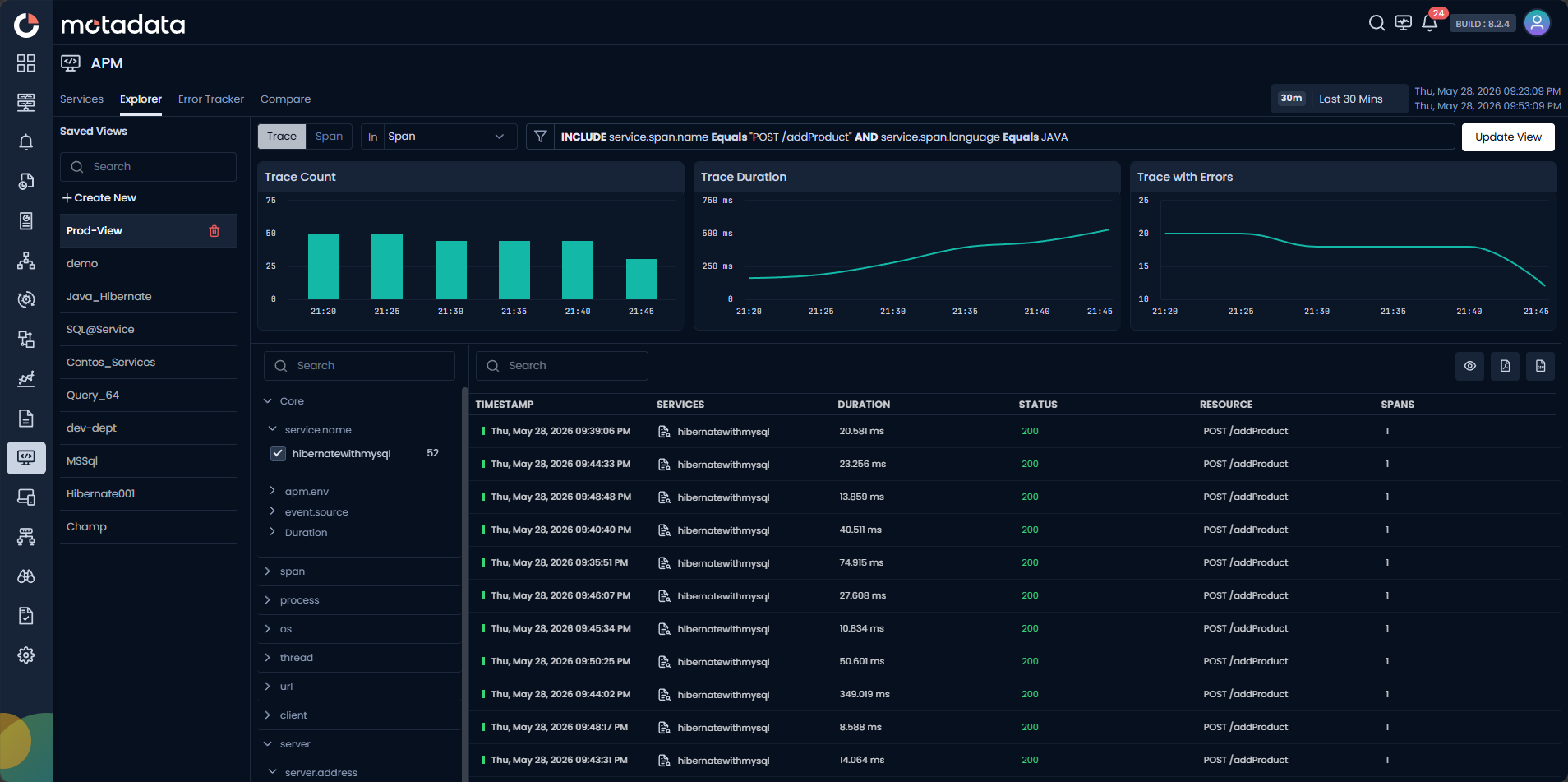
Saved Views Introduced in APM Explorer
With this release, you can save custom views in APM Explorer, including your search queries, filters, selected view types, and layout preferences. Just like bookmarks in a browser, saved views let you jump straight to your most-used investigation setups without rebuilding the same configuration every single time you open the Explorer.
Unified Alert Policy Builder Introduced for Metric, APM, RUM, and NetRoute
With this release, creating alert policies for Metric, APM, RUM, and NetRoute all happens in one place using a single, consistent screen.
User Import from SSO Identity Providers with Field Mapping Introduced
With this release, administrators can pull users directly from SSO identity providers like Okta, OneLogin, or Azure AD into Motadata ObserveOps using a configurable field mapping interface.
Metric Descriptions Extended to APM, RUM, Log, NetRoute, and Flow
Metric descriptions, the short explanations that tell you what a metric measures and why it matters, are now available when building widgets for APM, RUM, Log, NetRoute, and Flow, not just the Metric category. This makes it easier to pick the right metric when creating dashboards, especially if you are not sure what each one actually tracks.
Advanced Filtering Added to Interface Grid
With this release, the Interface Grid now has built-in filters so you can quickly narrow down the list of interfaces by port type, status, and speed. If you manage a network with dozens or hundreds of interfaces, this makes it much easier to find exactly what you are looking for without scrolling through the entire list.
Bulk Provisioning for Rediscovered Resources Added
With this release, you can select multiple rediscovered resources at once and provision them all in a single action, instead of going through them one by one. This works across all types of rediscovered resources, including interfaces, services, processes, containers, files, directories, and more, saving significant time when a rediscovery run surfaces a large batch of new resources.
Closed-Loop Incident Sync and Custom Mapping for ServiceOps Integration Introduced
With this release, ObserveOps and ServiceOps are now connected through a closed-loop integration that automatically creates incidents in ServiceOps when alerts are triggered in ObserveOps, and keeps ObserveOps updated when those incidents are modified or resolved. The integration profile also supports custom field and macro mapping, allowing teams to map ServiceOps custom fields with ObserveOps attributes so the right alert context is carried into every ticket without manual handoffs or duplicate data entry.
Auto-Apply Filter Behavior Introduced Across the Product
With this release, filters across Motadata ObserveOps now apply automatically as soon as you make a selection, with no separate Apply button needed. The new unified filter panel also supports advanced match conditions like equals, not equals, along with the ability to combine multiple filters using AND or OR logic. This makes filtering faster and more precise on every screen throughout the product.
Bearer Token Authentication Added for HTTP/HTTPS Credential Profiles
With this release, you can create credential profiles that use Bearer Token authentication for HTTP and HTTPS protocols. If you are monitoring APIs or web services that use token-based security, which is how most modern APIs work, you can now simply enter the bearer token in the credential profile instead of relying on a username and password. This makes it straightforward to set up monitoring for any service that follows the standard token-based authentication model.
Agent Installation on Custom Directory Paths Added
With this release, you can install the Motadata ObserveOps agent in any folder you choose on your server, not just the default location. This is useful when your company has rules about where software should live, such as on a specific drive or in a security-approved directory. When you upgrade the agent later, it remembers where it was installed and everything keeps working smoothly without any reconfiguration.
Per-Role Navigation Menu Visibility and Landing Page Introduced
With this release, tenant administrators can control, per role, which top-level ObserveOps modules appear in the left sidebar for users assigned to that role, and which of those visible modules serves as the landing page after sign-in.
End-to-End RUM and APM Trace Correlation Introduced
With this release, Motadata ObserveOps connects Real User Monitoring (RUM) sessions to backend APM traces in a single, unbroken view. When a user performs an action in the browser, the RUM SDK now injects W3C distributed trace context headers into outgoing API calls. The backend APM instrumentation picks those headers up through existing OpenTelemetry propagators, so each frontend user action or page view is linked to the exact backend trace it triggered.