Motadata Release Notes Version 8.2.3
Release Date: April 29, 2026
What's New?
Oracle Cloud Infrastructure (OCI) Monitoring Added
With this release, Motadata ObserveOps introduces monitoring support for Oracle Cloud Infrastructure. Compute Instances, File Storage, Object Storage, and Block Storage are now discoverable using a dedicated Oracle Cloud discovery type available under the Cloud category. Dedicated service-level and resource-level templates are provided out of the box, along with KPI dashboards for each OCI service type.
Custom Reports Now Available for APM, RUM, and NetRoute Modules
With this release, the Custom Report builder now supports APM, RUM, and NetRoute as report sources. Users can create Chart, Grid, Top-N, Counter, and Aggregation reports for application traces, real-user monitoring data, and network route metrics using the same familiar report-creation workflow available for other modules.
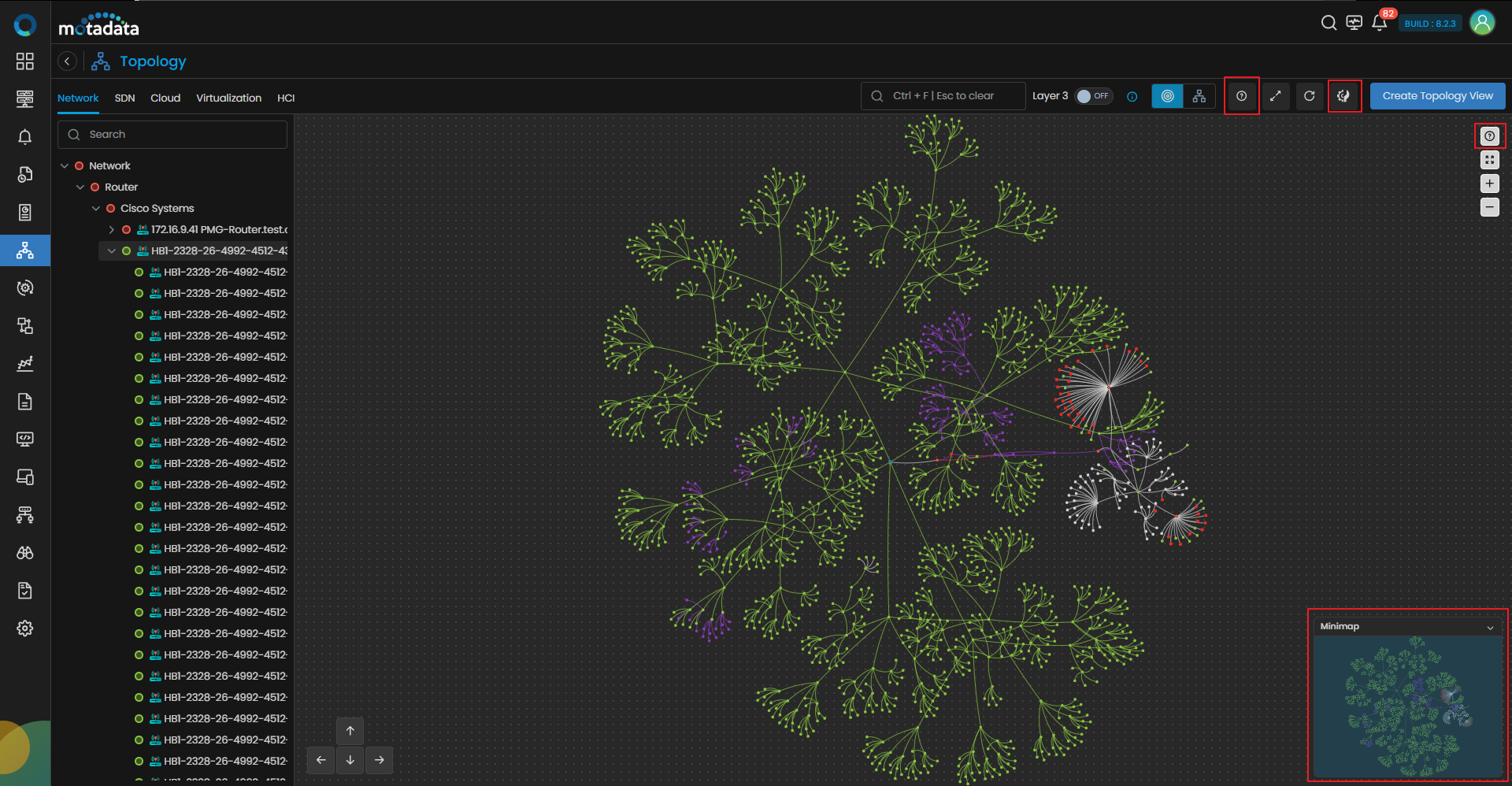
Topology Visualization & Usability Enhancements
The Topology module has been enhanced with keyboard navigation, advanced layout configuration with live preview, and improved toolbar interactions to streamline operations across all views. Saved topology views are now retained after refresh, eliminating repeated navigation to the root node. SDN link rendering has been improved to prevent overlapping connections, ensuring clearer topology relationships. Device name visibility is optimized for longer labels, and link severity now updates in real time, aligning with node behavior for more accurate and immediate insights.
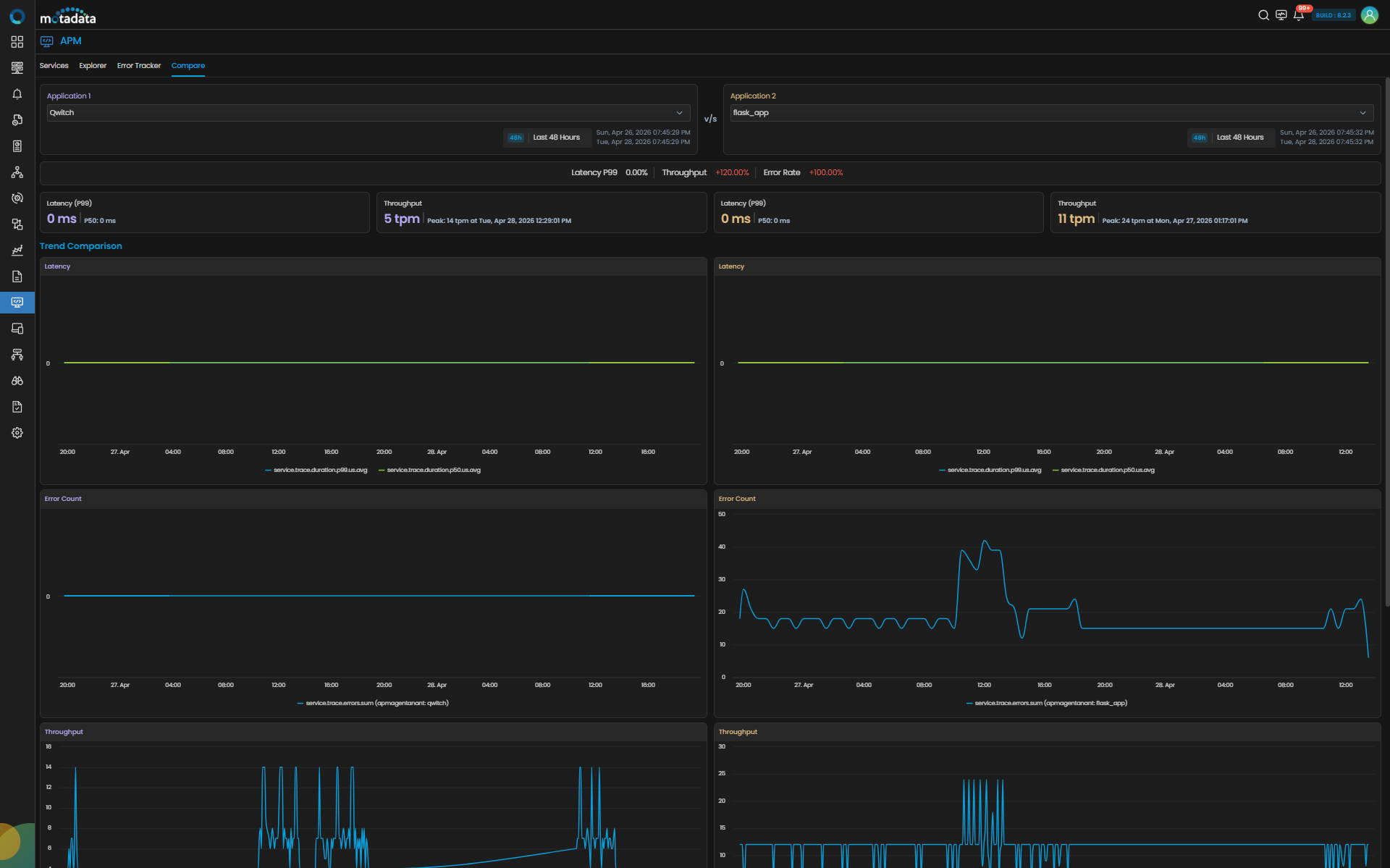
APM Side-by-Side Compare View Introduced
A new Compare view has been introduced in APM, allowing users to place two individual services side by side with time range selection for each side. The comparison surfaces performance regressions and release differences at a glance, accelerating post-deploy validation and cross-environment troubleshooting.
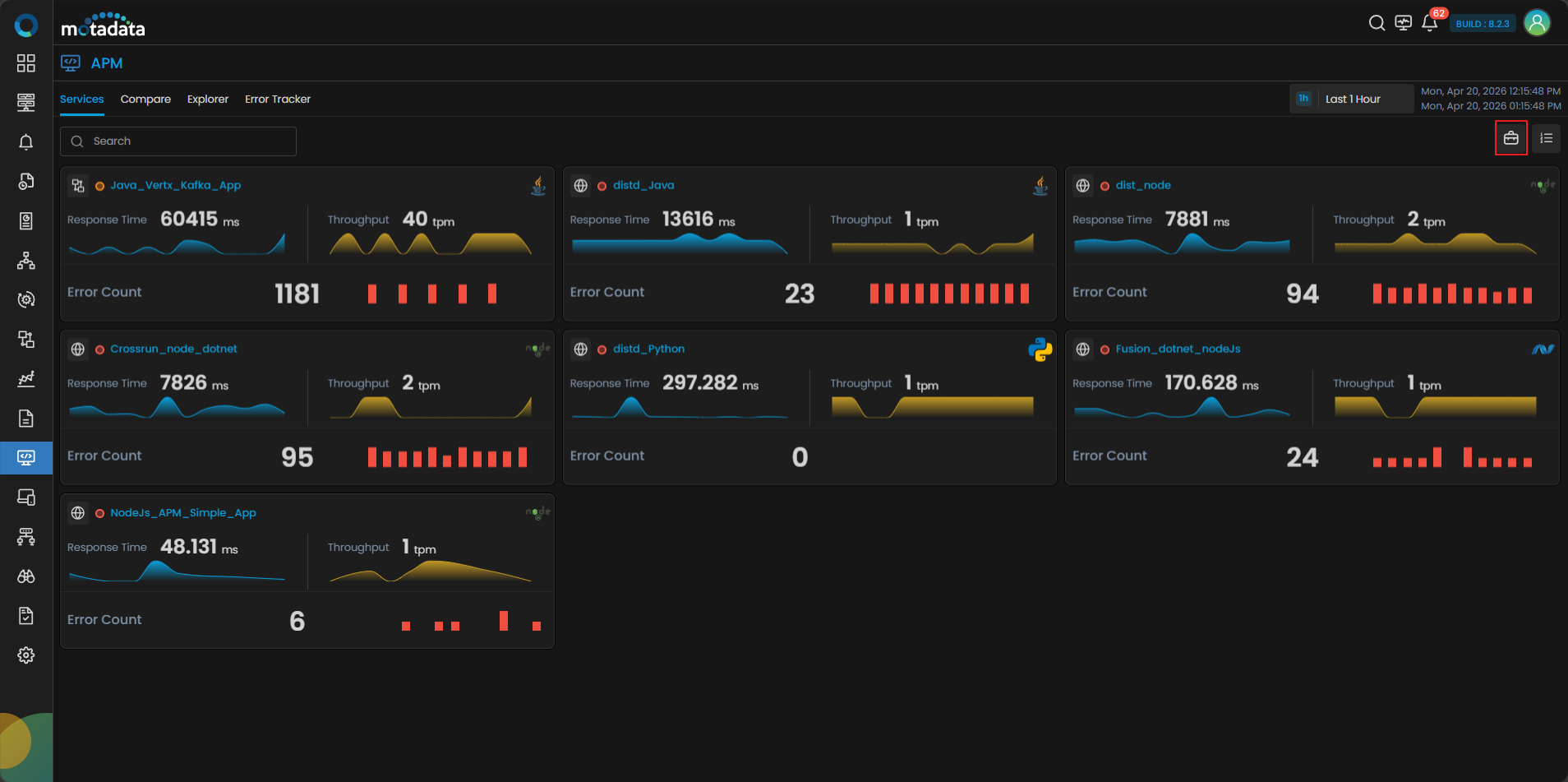
Business Service Tagging for Application Services Introduced
With this release, teams can now group individual microservices instrumented via OTel into named Business Services for example, 'Checkout' or 'Payment Processing'. Once tagged, Business Services become first-class filtering, grouping, and analytics dimensions across APM dashboards providing a business-level view over technical service instances.
AWS API Gateway Monitoring Added
With this release, Motadata ObserveOps adds end-to-end monitoring support for AWS API Gateway. The discovery profile automatically enumerates all API Gateway resources within a selected AWS region, and both service-level and resource-level monitoring templates are available out of the box, giving teams visibility into request throughput, latency, error rates, and availability for each gateway resource.
vCenter Appliance Monitoring via VMware API Added
With this release, VMware monitoring now extends to cover vCenter Server as a first-class managed entity. The platform integrates with VMware Appliance APIs to collect appliance-level health, individual vCenter service status, and functional KPIs. vCenter VMs are detected automatically, and a dedicated dashboard surfaces availability and performance data for the virtualization control plane.
OTel Native Instrumentation for C++ and Ruby Added
With this release, APM now supports trace and span collection for applications written in C++ and Ruby. C++ is supported across both Host/VM and Kubernetes environments, while Ruby is supported for Host/VM deployments, with custom attributes, error-status capture, and span enrichment capabilities.
APM Tracing Extended Across Cloud-Native Deployment Models
APM tracing and instrumentation now covers all major programming languages like Java, .NET, Python, PHP, Node.js, and Go, across EKS, OKE, GKE. This enables end-to-end distributed tracing regardless of where application workloads run.
Custom Business KPI Injection Supported
With this release, application teams can push domain-specific business attributes, KPIs, and identifiers from source code directly into APM using the OTel SDK, without waiting for product updates or custom instrumentation work. These custom attributes are stored as indexable, aggregate counters and are immediately available for widget creation and dashboard building in the Custom Attribute Manager.
HTML Export Added for Reports
Reports can now be exported as downloadable HTML files in addition to CSV and PDF. The HTML export preserves report structure and data formatting in a browser-friendly, printable format that can be shared without requiring a PDF viewer.
OOTB NCCM Runbooks for Cisco NetFlow Added
Two pre-built runbooks are now available in NCCM for enabling and disabling NetFlow on Cisco devices. Administrators can execute either action from the NCCM console without writing CLI scripts, reducing configuration time and ensuring consistent NetFlow settings across the network fleet.
Unified Incident Declaration Introduced Across All Policy Types
Incidents can now be declared from any policy type like Log, Flow, Trap, APM, and RUM using a single consistent workflow. Previously, incident declaration was only partially supported for Trap policies. This change gives operations teams a uniform incident-management path regardless of the originating data source.
WAN Link Monitoring for Cisco NCS 5500 IOS XR Added
With this release, Motadata ObserveOps adds support for discovering and monitoring WAN links on Cisco NCS 5500 IOS XR routers using IPSLA over SSH. The platform collects WAN performance and SLA metrics directly from the device using SSH credentials — no additional agents or separate probes are required.
Server Front and Rear Panel Visualization Added for Dell iDRAC and HPE iLO
Hardware status / Sensor is monitored via SNMP through Dell iDRAC and HPE iLO management interfaces, now presented as a graphical front and rear panel view with real-time LED indicators for power, health, disk, NIC, UID, and PSU. This visual model provides L1/L2 operators with immediate physical context during troubleshooting without requiring console access.
Alert Policy Tabs Renamed and Configured Policy Tab Added in Monitoring
With this release, the 'Active Policy' tab has been renamed to 'Active Alert' across all monitoring modules that are Network, SDN, Server and Apps, Storage, Virtualization, HCI, Database, Cloud, Container, and others to accurately reflect that it shows active alerts, not policy definitions. A new 'Configured Policy' tab has been introduced alongside it, providing centralized visibility into all policies configured for a device with export capability for compliance and reporting use cases.
APM View Now Display Severity Indicators
APM view now display consistent severity color indicators so teams can immediately assess impact. This improvement consolidates application observability and reduces the time needed to identify high-severity conditions at a glance.
Trace Scatter Plot Now Filters Grid
Selecting a time range on the scatter plot chart in the APM trace view now filters the trace grid to show only traces that started within the selected window. Previously the grid displayed the full trace list regardless of scatter plot interaction, disconnecting the visual selection from the tabular data below it.
Database Operation Type Filter Added in APM
With this release, a new filter in the APM Database tab lets users isolate specific database operation types like SELECT, INSERT, UPDATE, DELETE, and others with a single selection.
Maintenance Widget Drill-down and Reports Now Show Reason Column
The Maintenance Gauge Widget drill-down and maintenance-related reports now include Reason column, showing the reason a device was placed under maintenance and the name of the user who initiated it. This gives operations teams the context needed to understand maintenance actions without additional manual investigation.
Unified Visibility Controls Introduced for Dashboards and Saved Views
Public and private visibility settings are now consistent across custom dashboards, out-of-the-box dashboards, Metric Explorer saved views, saved log views, and saved topology views. Users can toggle public or private status on OOTB dashboards, mark dashboards as personal defaults, and share content with specific users or user profiles.
Instance IP Address Now Available as Alert Macro
With this release, a new macro $$$instance.ip$$$ is available for use in alert messages and notification templates. It resolves to the IP address of the monitored instance and works consistently across all device types with an associated IP address.
Gauge Widget Now Accessible via REST API
The Gauge widget type is now accessible via REST API using the widget ID. Responses include appropriate success and failure codes with descriptive error messages.
Alert Forwarding via Syslog and SNMP Trap
Motadata ObserveOps now enables real-time alert forwarding to external systems using Syslog and SNMP Trap. Users can configure destinations, create template-based integration profiles, and map them to policies based on severity for seamless and reliable alert delivery.